
FineDocs Auto Upload: Automatic document upload
Give incoming files a repeatable route into FineDocs.
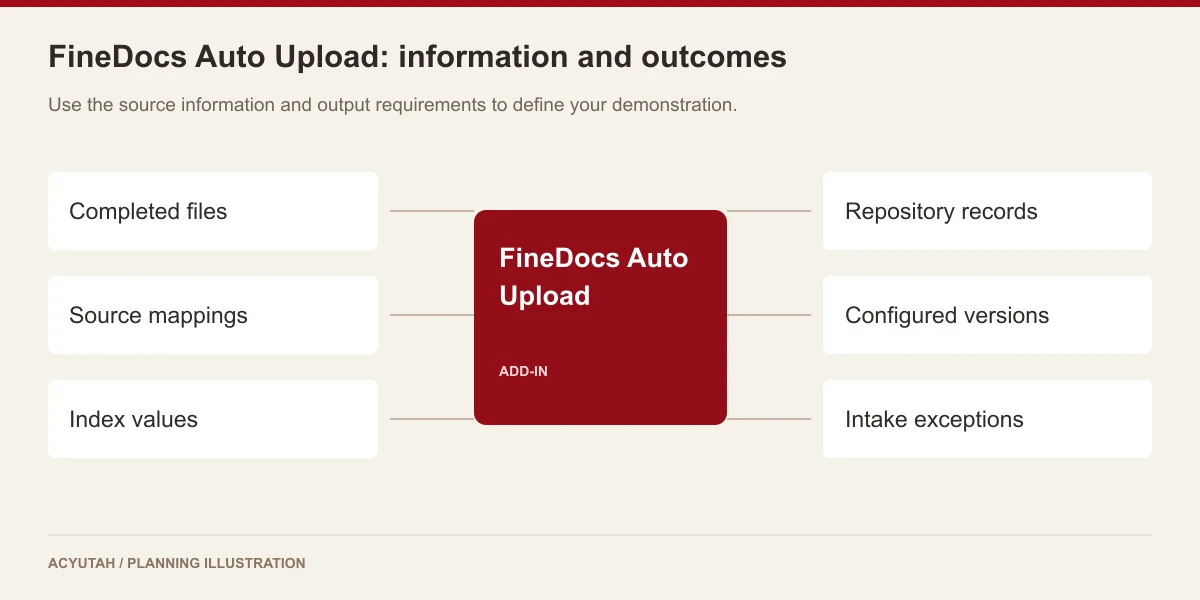
FineDocs Auto Upload provides automatic document upload from configured source locations into the repository. Connect recurring file arrivals with destination folders, document categories and indexing rules so routine intake does not depend entirely on manual upload.
A folder of incoming files should not become a forgotten queue.
Scanners, business applications and shared operational folders can generate documents throughout the day. Auto Upload handles the ingestion stage for supported files that already exist in those locations. Administrators configure the source-to-destination relationship and processing rules, while the service detects or periodically processes incoming content. This keeps the intake design separate from the document’s later review or approval process.
Automatic document upload: 6 practical benefits
Configured source and destination
Map source folders to FineDocs destinations and document categories. Define the business context before files begin arriving in volume.
Scheduled and watcher processing
The software includes timed processing and file-system watcher paths. Select the operating mode that matches how files are delivered and completed in the source location.
Folder traversal
Include subfolders where required by the configured intake rule. Folder names and hierarchy need consistent conventions so the resulting repository structure remains useful.
Metadata and indexing rules
Use the available descriptor, keyword and indexing configuration to associate incoming content with its business context. Available configuration includes spreadsheet-based indexing and barcode-related paths for applicable configurations.
New records and versions
Document-upload and version-processing operations support different intake needs. Agree how an incoming file should match an existing record before enabling version handling.
Source-file handling
Configure what happens to successfully processed source files and how failures are reviewed. Any source removal must follow the agreed operational and recovery procedure.
FineDocs Auto Upload in four steps
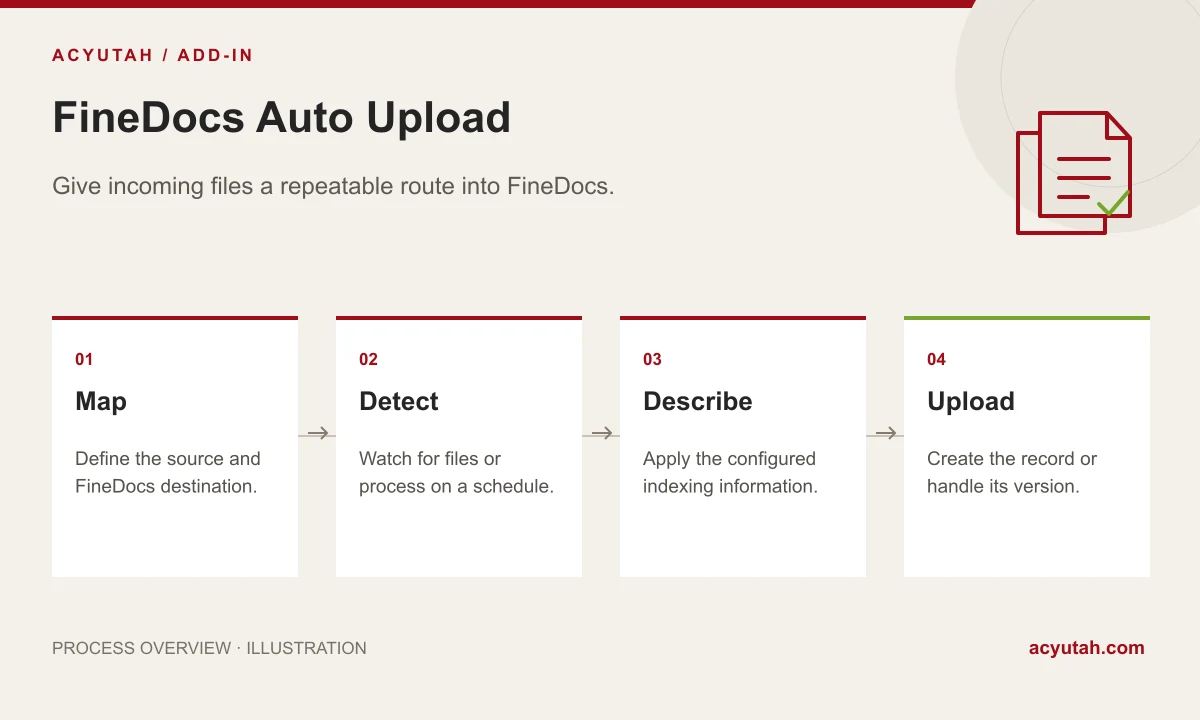
Map
Define the source and FineDocs destination.
Detect
Watch for files or process on a schedule.
Describe
Apply the configured indexing information.
Upload
Create the record or handle its version.
Example: receiving documents from a business application
An application places completed files in an agreed folder. Auto Upload uses the configured intake rule to send them to the correct FineDocs location with the relevant indexing information. The implementation must define how the service recognizes a finished file, handles a repeated filename and responds to missing metadata. A representative batch confirms the behavior before the source is opened to routine production traffic.
How FineDocs Auto Upload fits your Acyutah solution
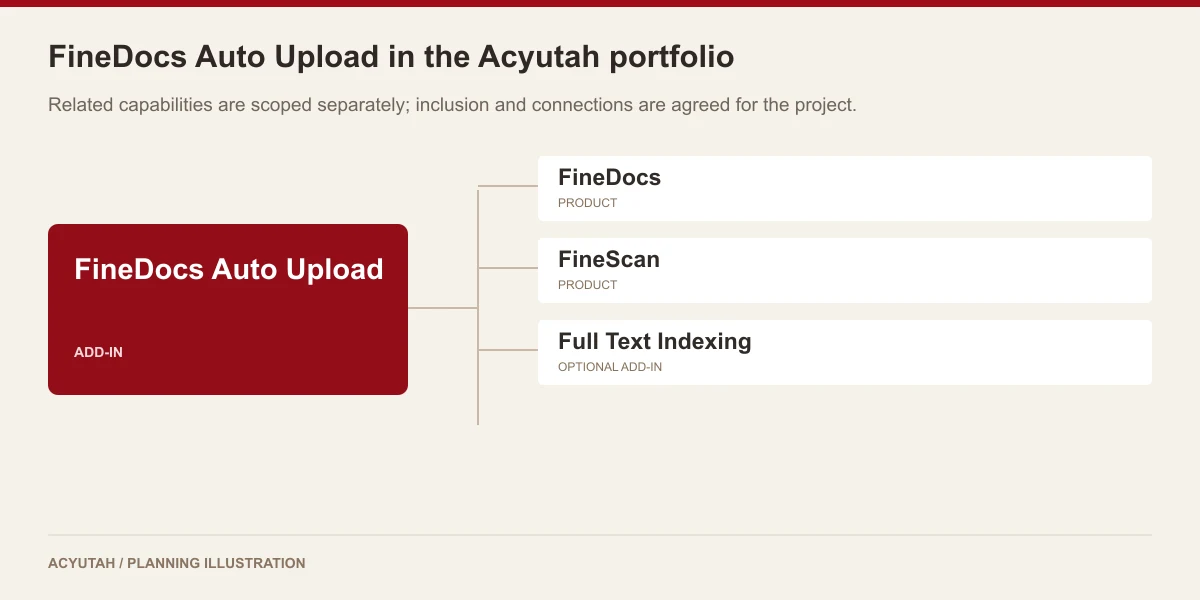
Auto Upload is an add-in for repository ingestion. FineScan is the scanning and capture product; FTI is the text-extraction and indexing add-in. These components can serve consecutive stages but have separate configuration and responsibilities.
Evaluating automatic document upload with your team
Evaluate automatic document upload using a controlled intake folder and a small set of completed files. Include a valid document, a repeated reference, a missing index value and a file arriving in a subfolder. Check the destination, descriptive fields and resulting new-record or version behavior. Review the processing status before approving the source-file handling rule. A representative automatic document upload pilot should establish what the service processes, what requires operator attention and how the team reconciles incoming files with the records available in FineDocs.
For background on keeping records understandable over time, read Digital Preservation Coalition: metadata and documentation.
Plan your implementation
Provide source-folder locations, file formats, naming patterns, metadata sources and intended destination structure. Agree subfolder handling, duplicate or version behavior, processing schedules and source-file retention. Include incomplete files and invalid index values in the pilot so operational exceptions are understood.
Discuss the release, enabled modules and support responsibilities with our implementation team. The product demonstration should reflect the records, users and exceptions that matter to your organization.
Who uses automatic document upload?
Source-system owners
Automatic document upload begins with a dependable source of completed files. Source-system owners explain where files arrive, how they are named and which information identifies the corresponding business record. They should also explain how an unfinished file can be distinguished from a completed one. These details matter before a folder watcher or scheduled process is connected to routine operational output.
Repository owners
Repository owners define the destination and indexing requirements for automatic document upload. They decide which category, folder and descriptive values make the incoming record useful in FineDocs. A repeat reference may represent a duplicate, a new record or a version depending on the agreed intake rule. The business owner should resolve that distinction before the service processes a large or recurring collection.
Service operators
Service operators monitor automatic document upload and investigate items that do not follow the normal path. They need to understand source and destination mappings, schedules, indexing dependencies and source-file handling. A useful handover includes examples of a valid upload, an incomplete item and an unexpected reference. It also identifies who may change the configuration and who approves removal of successfully processed source files.
Automatic document upload in a working scenario
Suppose a business application produces completed documents in an agreed folder. Select a small set of files with known business references and the metadata source used for indexing. Automatic document upload should first be configured to a controlled FineDocs destination. Include a subfolder and a file with a repeated reference so the team can agree how folder traversal and record matching belong in the proposed process.
Demonstrate the configured watcher or scheduled processing mode, then inspect the resulting repository records. Compare document category, folder, descriptive fields and the intended new-record or version outcome with the original sample. Automatic document upload should be evaluated at this source-to-repository handover. Where spreadsheet-based indexing or barcode-related configuration is included, use the actual mapping format and review a missing or invalid index value during acceptance.
Finally, examine the files and statuses that remain after processing. The project must define the handling of incomplete arrivals, repeated items and any source-removal setting. Automatic document upload needs an operational reconciliation process: the team should know which files reached FineDocs and which require attention. FineScan and FTI may serve adjacent stages, but automated file ingestion has its own source conventions, dependencies and recovery responsibilities.
6 acceptance checks for automatic document upload
1. Source readiness
Identify how completed files become available in the intake location. Include an unfinished or otherwise unsuitable sample in the discussion and agree the processing boundary before enabling routine arrivals.
2. Destination mapping
Compare the configured source with its FineDocs folder and category. Confirm that the resulting record appears where the repository owner expects and that subfolder behavior matches the agreed intake structure.
3. Index values
Review descriptors, keywords and any spreadsheet or barcode-derived values included in the project. Compare a valid sample with a missing or invalid value and define the correction responsibility.
4. Repeated references
Demonstrate the proposed handling of a repeated filename or business reference. Agree whether the case is a new record, a version or an exception before accepting the intake rule.
5. Operating mode
Test the configured watcher or timed-processing behavior with the way files actually arrive. Confirm who maintains the schedule and how the team identifies work that has not yet been processed.
6. Source-file handling
Review the source location after a successful and unsuccessful sample. Agree retention or removal explicitly, with an operating procedure that addresses reconciliation and recovery responsibility.
Prepare your automatic document upload rollout
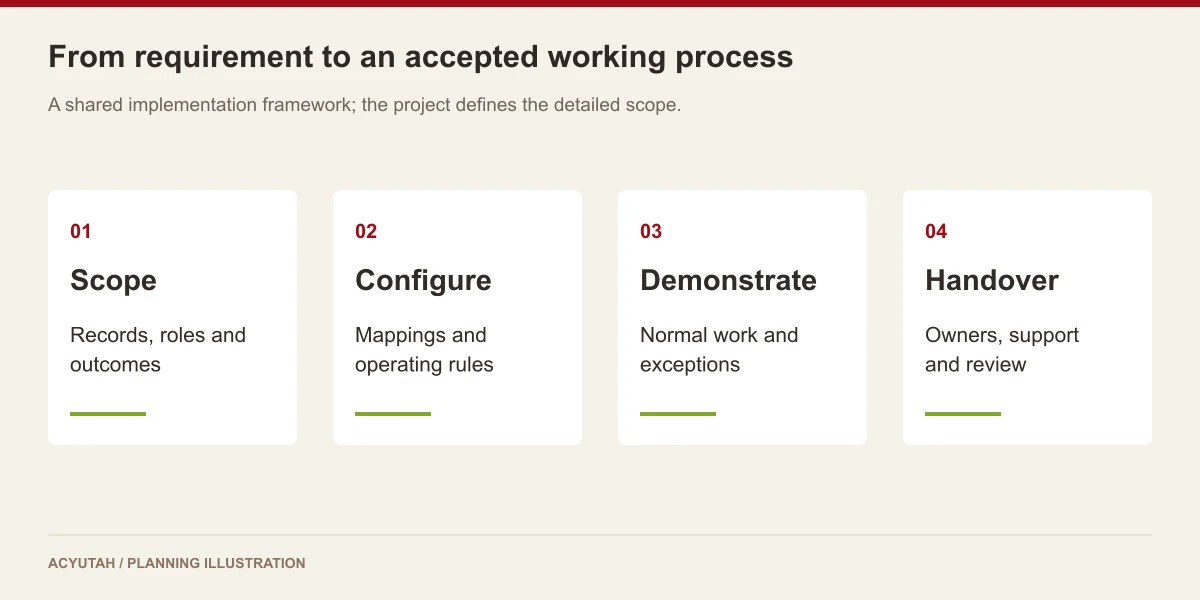
Pilot automatic document upload with one source, one destination and a representative indexing sample. Involve the source-system owner and repository owner in the same acceptance review. Training should show how to identify a successful record, investigate an unmatched item and request a mapping change. Only broaden the intake once both teams agree the expected behavior and the service operator understands the exceptions.
Maintain automatic document upload when folder structures, naming patterns or metadata sources change. Review processing exceptions and periodically reconcile source arrivals with repository outcomes. Keep source-file removal and version matching under an approved operating rule. Any additional application interface, new file family or revised indexing format should be checked with sample records before it becomes part of the production intake.
FineDocs Auto Upload: frequently asked questions
Does Auto Upload scan paper documents?
No. It processes existing files. FineScan is the product for scanning and capture workflows.
Can it monitor a folder?
Yes. File-system watcher and timed-processing paths are supported. Configuration determines the mode used.
Can metadata be applied during upload?
Descriptor and indexing functions are available, including spreadsheet and barcode-related paths in applicable configurations. Confirm the required mapping with sample files.
Will it delete source files?
Source-file handling is configurable and must be agreed explicitly. Do not assume removal is required or enabled for every intake process.
What information is needed for automatic document upload?
Provide source locations, file formats, arrival patterns, naming conventions and the intended FineDocs destinations. Include the metadata source and examples of repeated references or versions. Agree the processing mode and source-file handling so the demonstration covers both successful uploads and operational exceptions.
Can automatic document upload use existing business references?
The intake can be assessed against the available descriptor and indexing configuration, including applicable spreadsheet and barcode-related paths. Bring the actual reference format and sample files. The project team should confirm the mapping and the intended new-record or version behavior before enabling recurring processing.
See how FineDocs Auto Upload fits your work.
Share your process, document types and user needs with Acyutah.