
Full Text Indexing: Multilingual document search
Find information inside the document, not only its name.
FineDocs FTI adds text extraction and indexing for multilingual document search. Process supported images, PDFs and office-document formats so content can contribute to retrieval alongside the document’s name, metadata and business references.

The useful phrase may be buried several pages into a file.
A user may remember a clause, part number or phrase without knowing the filename. Full Text Indexing addresses that retrieval need by preparing document text for search. Image-only content requires recognition before its words can be indexed. FTI connects the extraction process with the FineDocs environment, using file-type handling and configured language resources appropriate to the collection.
Multilingual document search: 6 practical benefits
Content extraction by file family
The implementation selects processing paths for images, PDFs and office files. Unsupported formats are identified rather than treated as successfully indexed content.
OCR for scanned content
Image and PDF processing use Tesseract-based recognition within the FTI service. Recognition quality depends on the source image, layout and configured language resources.
Configurable OCR languages
Choose the installed language packs needed for the document collection. Configuration examples include English, Hindi, Arabic and Russian; the available engine resources determine the actual supported set.
Office-document processing
Office-family files have a dedicated extraction path, with conversion dependencies where needed. Confirm the file types and conversion environment used in your deployment.
Service configuration
Configuration screens cover the extraction engine, storage and service operation. Processing schedules and selected document scope should reflect repository and infrastructure needs.
Processing visibility
Extraction status and logging help identify failed or unsupported processing. A searchable archive needs operational follow-up, not just an initial indexing run.
Full Text Indexing in four steps
Identify
Determine the supported document format.
Extract
Read text or recognize scanned pages.
Index
Prepare extracted content for retrieval.
Find
Search within the configured document environment.
Example: locating a clause in a mixed-language archive
A team working with English and Hindi records can configure the relevant recognition resources and test documents from both collections. Image-only pages require OCR; text-bearing files follow their applicable processing path. The team then checks whether representative terms can be found in the repository. This validates the actual language, format and image-quality combination instead of relying on a blanket accuracy claim.
How Full Text Indexing fits your Acyutah solution
FTI is an add-in to the FineDocs environment. FineScan captures and prepares documents, while FTI addresses text extraction and indexing for search. Multilingual indexing is not website translation, and OCR is not automatic translation of document content.
Evaluating multilingual document search with your team
Test multilingual document search with phrases your users actually remember. Include text-based files, scanned PDFs and images from each required language. After processing, look for a distinctive phrase, a reference number and a term found on a later page. Compare the results with the original document and investigate pages whose text was not extracted as expected. This gives multilingual document search a practical acceptance basis tied to your collection, while separating recognition quality from metadata quality and user access to the resulting records.
To check the recognition resources available for your languages, consult Tesseract language and script resources.
Plan your implementation
Provide sample formats, languages, scripts, scan quality and repository volumes. Confirm installed OCR language packs and required PDF or office-conversion components. Test the search behavior for real phrases, numbers and mixed-language pages, and define how processing failures are monitored and corrected.
Discuss the release, enabled modules and support responsibilities with our implementation team. The product demonstration should reflect the records, users and exceptions that matter to your organization.
Who uses multilingual document search?
Business search users
Multilingual document search helps users who remember information inside a record but do not know its filename. They may be looking for a clause, a reference number or a distinctive phrase. Ask those users to provide realistic search examples before configuring the collection. A useful acceptance exercise connects the phrase they remember with the actual document and the repository access they are permitted to use.
Document and capture owners
Document owners prepare the collection for multilingual document search by understanding its formats, languages and scan quality. Text-bearing files and image-only pages need different extraction treatment. Capture owners can help identify faint pages, mixed scripts and recurring layouts that require representative testing. The quality of the source record remains relevant even when a text-extraction service is available.
Indexing administrators
Administrators configure and monitor multilingual document search through the FTI environment. They review supported file handling, installed OCR language resources and any required conversion components. Their operating routine should include failed or unsupported items as well as successful processing. Someone must own the decision about correcting a source, changing a configuration or explaining why a particular document is not currently searchable by its text.
Multilingual document search in a working scenario
Begin with a mixed collection containing text-based office files, scanned PDFs and images in the languages your users need. Choose several distinctive phrases and numbers from the originals. Multilingual document search should be tested against this known sample after the required extraction and OCR resources are configured. Include a page with poorer image quality and a document containing more than one script so the pilot reflects the actual collection rather than only ideal examples.
Follow the processing path appropriate to each file family. Text-bearing files may provide extractable text, while scanned content requires recognition. Review the configured language packs and the office or PDF dependencies needed for the proposed environment. Multilingual document search does not translate a record; it makes the extracted or recognized content available to the configured retrieval process. The original document remains important for confirming the meaning and accuracy of what a user finds.
Search for the agreed phrases after processing and compare the returned results with the source documents. Investigate a missing or incorrect match by checking the file, recognition resources and processing status. Multilingual document search should be assessed as an operational capability with a clear exception process. FineScan, FineDocs and FTI have related roles, but scan preparation, repository access and text indexing require distinct configuration and support ownership.

6 acceptance checks for multilingual document search
1. Format coverage
Include the image, PDF and office-document types in the proposed collection. Confirm the applicable processing path and required dependencies, and identify unsupported formats before planning the wider indexing activity.
2. Language resources
Compare the required languages and scripts with the installed OCR resources. Use representative originals from each language rather than assuming one recognition result establishes support for an unrelated script.
3. Search examples
Record distinctive phrases, numbers and later-page terms before processing. Compare the search outcome with the known originals so acceptance is based on a clear set of expected retrieval cases.
4. Source quality
Test faint, skewed or complex pages found in the actual collection. Agree when an original needs recapture or further review, and distinguish source-quality problems from repository metadata or access issues.
5. Processing exceptions
Review the status or log information for a failed or unsupported sample. Define who investigates the item and how it is corrected or recorded as an exception in the operating process.
6. Access context
Check retrieval with the agreed user roles. Text indexing and permission to open a repository document are related operational concerns, so demonstrate the complete user journey in the proposed environment.

Prepare your multilingual document search rollout
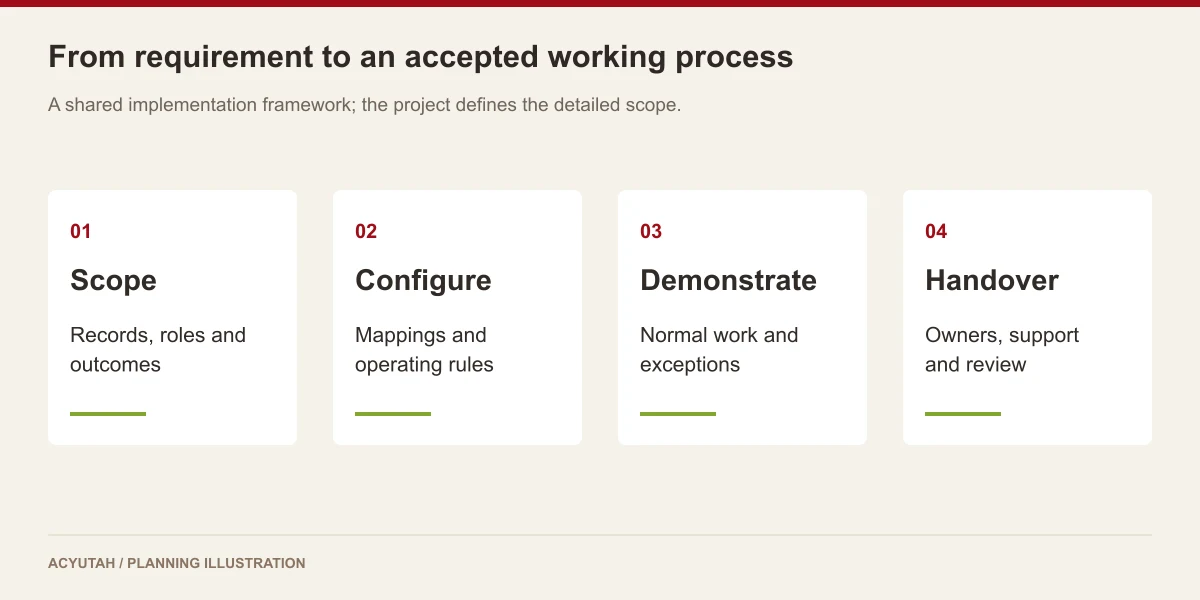
Introduce multilingual document search with a defined sample of formats and languages. Confirm the extraction dependencies, OCR resources and expected repository behavior before processing a large collection. Train the administrator to distinguish successful extraction, recognition-quality problems and unsupported content. Keep the sample phrases and source documents as an acceptance reference when the configuration changes.
Maintain multilingual document search as the repository grows and new file types or languages appear. Review processing exceptions and agree how users report a missing result. Recognition quality depends on the originals and configuration, so changes to scanning practices may be as important as changes to the indexing service. Add new language or format requirements through a representative test rather than assuming unrestricted support.
Full Text Indexing: frequently asked questions
Does multilingual document search mean every language works without setup?
No. The OCR language configuration and installed resources must match the collection. Confirm required scripts and formats during implementation.
Will FTI translate our documents?
No. Text recognition and indexing prepare content for search; they do not translate it into another language.
Can scanned PDFs be processed?
The software includes PDF processing and page-by-page OCR. The resulting quality depends on the originals and configuration.
Does FTI guarantee perfect text recognition?
No. Test representative scans, including poor-quality and complex pages, to establish appropriate acceptance criteria.
What is a useful multilingual document search acceptance test?
Prepare known phrases and references from representative originals in every required language and format. Process the sample, search for those terms and compare the results with the documents. Include difficult pages and unsupported content so the administrator can demonstrate exception handling as well as successful retrieval.
Does multilingual document search replace metadata?
No. Metadata describes business context such as the document category and reference, while FTI prepares content within supported files for search. The two approaches can complement each other. A good demonstration should show the retrieval questions users ask and how the configured repository and indexing components address them.
See how Full Text Indexing fits your work.
Share your process, document types and user needs with Acyutah.