
FineFlow BPM: Business process management software
Give every business process a visible next step.
FineFlow BPM is Acyutah’s business process management software for connecting forms, people and process activities. Bring requests into a defined workflow, make current responsibility visible and review the status of work from submission through completion.

Move a request forward with its information intact.
An approval often stalls because its supporting information, current owner and next action are spread across messages. FineFlow BPM brings those elements into a process context. Forms collect the required business details; activities organize the work; status views and reports help participants understand what has happened and what is still outstanding. FineFlow is a product in its own right within the Acyutah portfolio.
Business process management software: 6 practical benefits
Forms for business information
Use form and subform structures to collect the fields relevant to a process. Descriptor-based data can also support filtering and reporting on submitted work.
Activities and assigned participants
Associate work with the relevant activity and participant. Current-activity and actor information helps users understand their responsibility within the process.
Process status and completion
Review initiated and completed workflows, application status and user-specific process information. Filter the work using relevant status, date, actor and business-data criteria.
Delegation support
Delegation-related operations support the handling of assigned activity. Configure the eligible participants and operating rules to match the agreed business process.
Reporting on process data
Generate reports using the form, time period and selected business fields. This connects operational reporting to the information captured at submission.
Optional reminders and escalation
Pair FineFlow BPM with the Email Service add-in for configured workflow reminder and escalation messages. Notification setup is a separate part of the implementation.
FineFlow BPM in four steps
Submit
Capture the request and required information.
Route
Assign the relevant process activity.
Act
Review, decide or complete the assigned work.
Track
Review status, history and process reports.
Example: making an internal request easier to follow
A department can define the information needed for an internal approval, capture it in a form and associate the request with the relevant participants. Users review the current activity instead of repeatedly asking who has the request. Process reports then help the owner distinguish completed work from outstanding items. Where the process depends on documents, plan the connection to FineDocs and the access each participant needs.
How FineFlow BPM fits your Acyutah solution
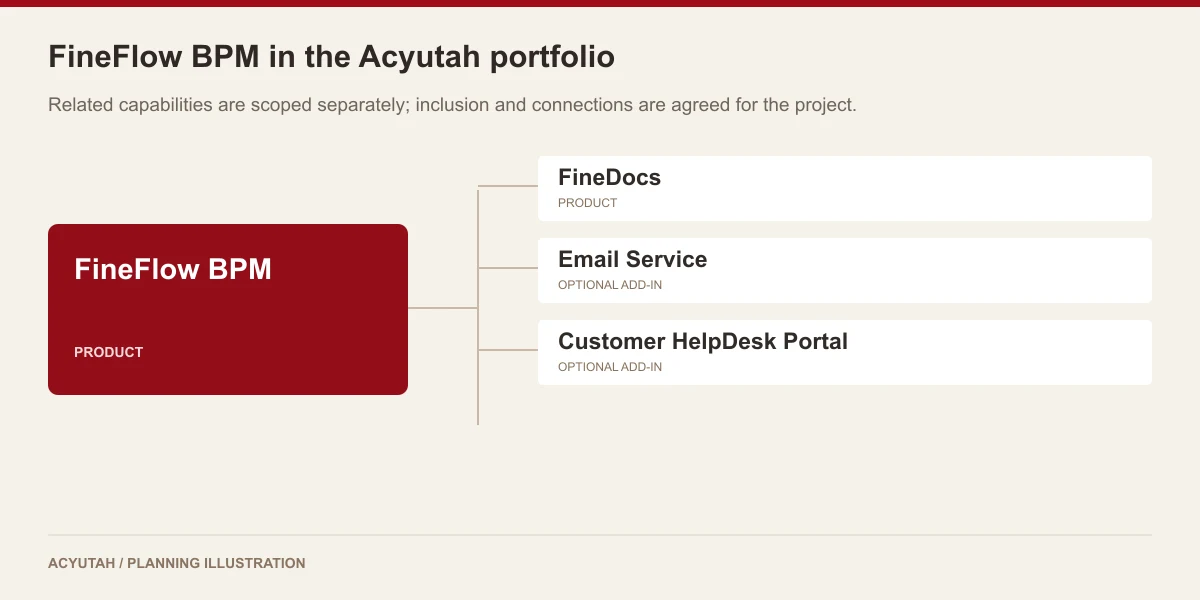
FineFlow BPM is one of the five Acyutah products, alongside FineDocs, FineScan, LMS and HRMS. It provides the process layer; FineDocs provides document management. Email Service is an optional add-in for notification requirements. The specific forms, routes, roles and integrations are defined in the project scope.
Evaluating business process management software with your team
Assess business process management software with a request that crosses two teams. Define the information the requester supplies, the first person responsible and the decision that moves the work forward. Follow the current activity and inspect the completed process report. Include a delegated activity and an outstanding request so the demonstration covers exceptions as well as the usual route. Comparing these cases gives the process owner a practical basis for selecting business process management software and agreeing the forms, responsibilities and reports needed for rollout.
When defining form usability and accessibility acceptance criteria, consult W3C guidance on accessible forms.
Plan your implementation
Choose the first process, its start and end points, mandatory information, participating roles and exception paths. Identify how delegated work and overdue items should be handled. A demonstration should follow a real request through normal completion and an exception so that responsibilities and reporting requirements can be agreed.
Discuss the release, enabled modules and support responsibilities with our implementation team. The product demonstration should reflect the records, users and exceptions that matter to your organization.
Who uses business process management software?
Process owners
Business process management software gives process owners a place to connect the request, its activities and the responsible participants. They define the information needed at submission and the decisions that move the work forward. Begin with a process that people already understand well enough to explain, including its exceptions. Software configuration is easier to review when the business owner can describe the intended result of each activity.
Requesters and participants
Requesters supply the information required by the process; participants act on assigned work. Business process management software should make that responsibility clear without forcing people to reconstruct it from email conversations. Demonstrate the forms and current-activity views using ordinary user roles. Check that participants understand which information they need to review and where to find supporting documents included in the agreed solution.
Administrators and reporting teams
Administrators maintain the configured process environment and user responsibilities. Reporting teams use business process management software to examine completed and outstanding work through the available status, date, actor and business-data filters. Agree report definitions with the process owner before rollout. A report is most useful when everyone understands what a process state means and which action is expected from the person reviewing it.
Business process management software in a working scenario
Take an internal approval request that passes between two departments. The first workshop identifies the fields supplied by the requester, any repeating details that belong in a subform and the information the next participant needs. Business process management software connects those details to the activities in the agreed route. Use a straightforward example first, then add a request containing incomplete information so the team can discuss the exception procedure before configuration is finalized.
Follow the request through its assigned activities in FineFlow BPM. Review who is responsible, what the current status shows and how delegation is used where it belongs in the process. If the request needs repository documents, demonstrate the configured connection and the participant’s access to those records. Business process management software should be assessed from the perspective of each role, including a colleague who joins the process after the original submission.
At the end, compare an outstanding request with a completed one in the available views and reports. Confirm which business fields and dates make the report useful to the process owner. If reminders or escalations are required, include the separate Email Service configuration in the demonstration. Business process management software and notification services work together, but a message should always point to a clearly defined operational responsibility rather than substitute for the underlying task.

6 acceptance checks for business process management software
1. Form information
Review the form and subform fields against the information required for a real request. Confirm which values support later filtering and reporting, and which details belong in an associated document.
2. Activity responsibility
Follow the current activity with representative participants. Confirm who is expected to act, what information is available and how the configured responsibility matches the business owner’s intended process.
3. Delegated work
Demonstrate an activity that needs delegation within the agreed operating rules. Review the eligible participants and the resulting responsibility so an absence or handover has an understood procedure.
4. Process status
Compare initiated, outstanding and completed work. Agree what the relevant status views mean to requesters and participants, including where to look when a request appears to have stopped moving.
5. Operational reports
Test the selected date, actor, status and business-field filters with sample requests. Reconcile the report with individual process records and agree who uses it for follow-up.
6. Optional notifications
Where Email Service is included, demonstrate a relevant reminder and escalation case. Confirm recipient selection and timing alongside the task itself, and document responsibility for email delivery support.
Prepare your business process management software rollout
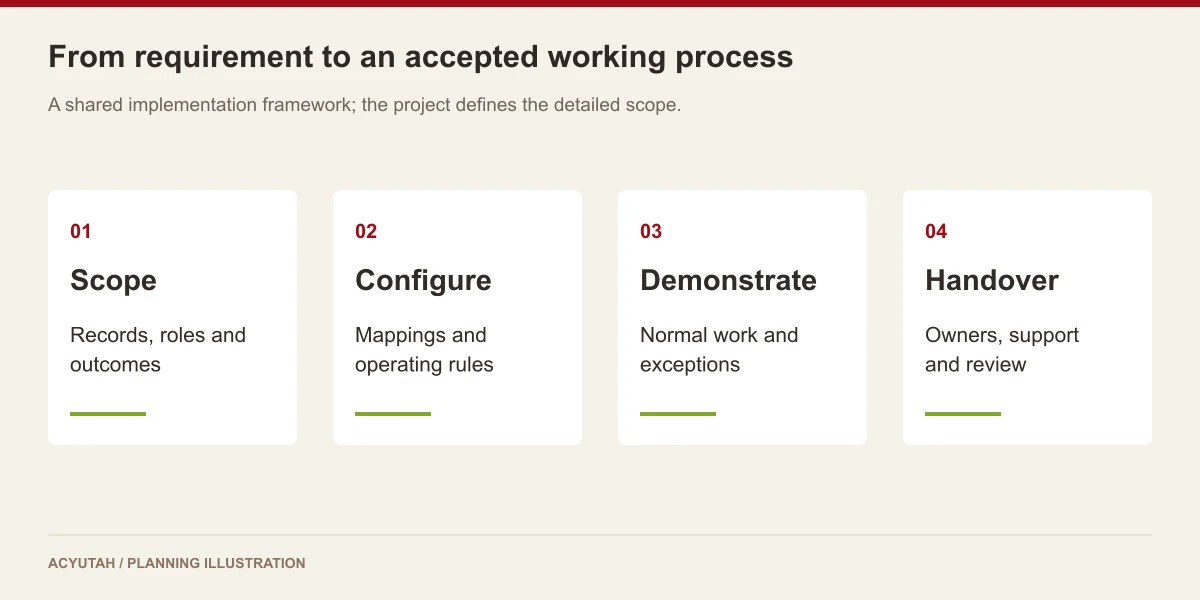
Roll out business process management software around one agreed process before adding unrelated workflows. Name the process owner, document the roles and review the forms with the people who will complete them. Training should cover submission, assigned activities, status checking and the exception route. A small first phase gives the team a manageable way to confirm that the process description matches everyday work.
After launch, review outstanding work and support questions with the process owner. Business process management software requires maintenance when responsibilities, forms or reporting needs change. Agree who approves those changes and how they are checked before release. Keep the relationship between process configuration, document access and optional notifications clear so each issue reaches the team responsible for resolving it.
FineFlow BPM: frequently asked questions
Is FineFlow BPM an add-in?
No. Acyutah classifies FineFlow BPM as a product. Related services, such as Email Service, are add-ins.
How does it relate to FineDocs?
FineDocs organizes documents; FineFlow BPM organizes process activities and business information. Their connection is configured around the document requirements of the workflow.
Can users see the progress of their requests?
Users can access current-activity, application-status and user-process views, along with completed-workflow and report functions.
Are email reminders part of the base product?
Workflow reminders and escalations are handled through the Email Service add-in where included and configured.
What should we bring to a business process management software demonstration?
Bring a sample request, its required fields, the people involved and an outline of the decisions between submission and completion. Include one exception and a report you need today. These examples let the demonstration show responsibility, status and reporting in the context of a process your team recognizes.
How can business process management software improve process visibility?
FineFlow BPM provides current-activity, actor, application-status and completed-workflow information, with reporting on configured process data. The practical value depends on agreeing what each status means and who acts on it. Demonstrate outstanding and completed requests with the relevant user roles to assess that visibility.
See how FineFlow BPM fits your work.
Share your process, document types and user needs with Acyutah.