
Customer HelpDesk Portal: Customer helpdesk portal
Give every customer request a clear owner and status.
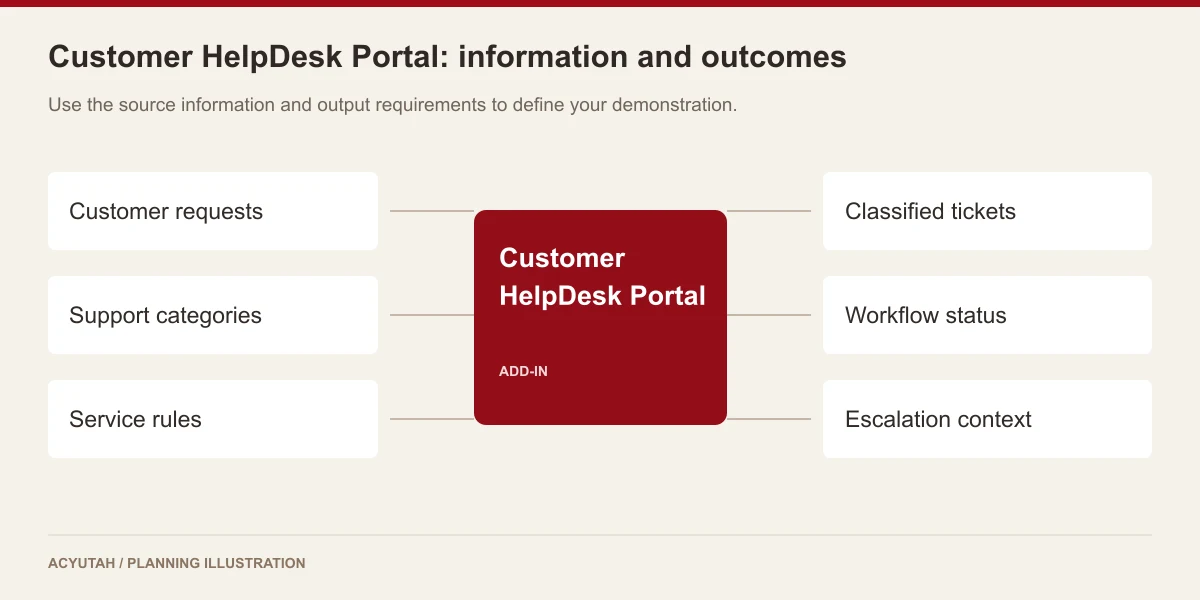
Acyutah’s customer helpdesk portal brings support requests into a structured ticket process. Configure categories, severity, roles and service-level rules, then use ticket details and workflow status to coordinate the response.

A shared support inbox needs a process behind it.
Customer requests can be difficult to manage when their category, urgency and responsible team are unclear. The HelpDesk Portal provides a common ticket context for these decisions. Administrators define the relevant presets and roles; support participants work with the ticket information and status. The result is a more consistent way to organize support work and review the handling of individual requests.
Customer helpdesk portal: 6 practical benefits
Ticket classification
Configure categories, subcategories and ticket types to reflect the support services offered. A clear classification helps route and report on the work consistently.
Severity settings
Use severity information to distinguish the importance of different requests. Define what each level means in operational terms so customers and support teams share the same expectations.
Roles and responsibility
Configure HelpDesk roles, role types and user relationships. Establish who may view, act on and administer the relevant ticket population.
Service-level configuration
Create and publish SLA configurations in the portal setup. Response and escalation commitments must be agreed by the business; the presence of an SLA setting is not a guarantee that every commitment will be met.
Ticket details and workflow status
Review individual ticket information and update workflow status through the configured process. This keeps the handling of the request connected to a common record.
Escalation and reporting connections
Pair the portal with Email Service for configured HelpDesk escalation messages. Review reporting requirements alongside categories, status and responsibility during implementation.
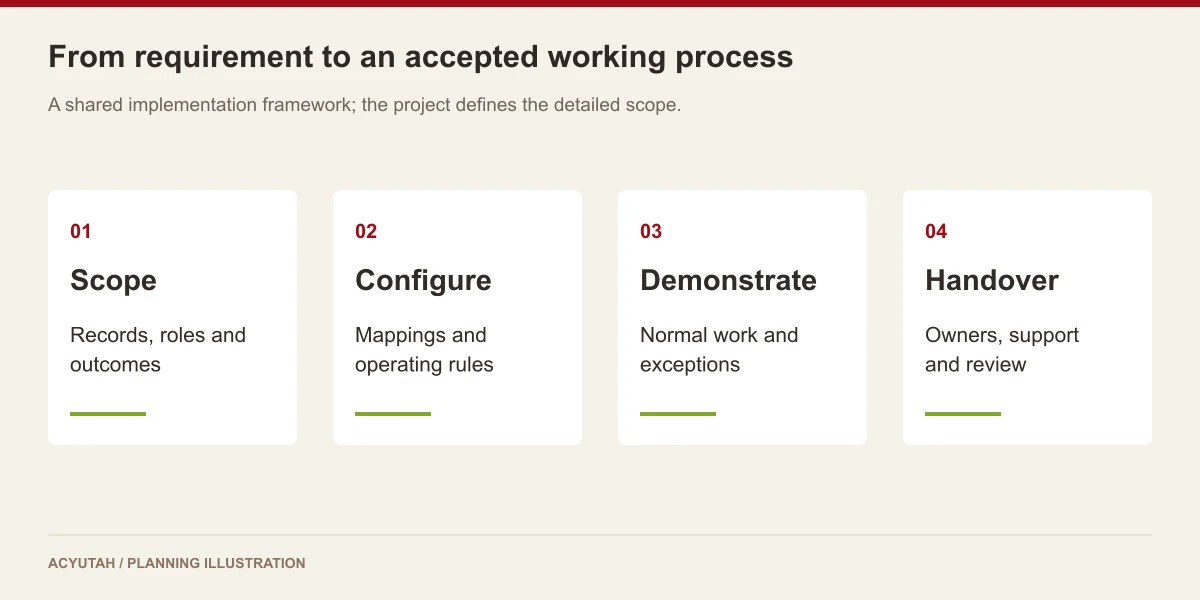
Customer HelpDesk Portal in four steps
Record
Bring the customer request into a ticket.
Classify
Set category, type and severity.
Coordinate
Assign responsibility and update status.
Review
Follow service rules and reporting needs.
Example: coordinating a customer issue across teams
A support team records an issue under the appropriate category and severity, then works through the configured responsibility and status model. If the case needs escalation, the portal and Email Service can support the agreed notification path. The customer-facing experience, ticket visibility and closure procedure should be demonstrated with representative cases before rollout.
How Customer HelpDesk Portal fits your Acyutah solution
Customer HelpDesk Portal is an add-in in the Acyutah portfolio. It is distinct from Acyutah’s own support website: the existing support portal remains available to customers, while this page describes the software capability offered for a project. FineFlow BPM and Email Service have separate roles and scope.
Evaluating customer helpdesk portal with your team
Evaluate a customer helpdesk portal with a routine question and an issue that needs escalation. Record each request, select its category and severity, then follow responsibility and status through to the agreed closure point. Review what the customer can see alongside the information available to the support team. Check the reporting fields against the measures the service owner uses today. This makes the customer helpdesk portal demonstration a test of the complete support experience, including handovers and exceptions, instead of only the ticket-entry screen.
When defining form usability and accessibility acceptance criteria, consult W3C guidance on accessible forms.
Plan your implementation
Define the customer population, support categories, roles, ticket states, severity rules and service commitments. Agree which information customers can see and what remains internal. Test assignment, escalation, status changes and closure using sample cases, including a request that crosses team boundaries.
Discuss the release, enabled modules and support responsibilities with our implementation team. The product demonstration should reflect the records, users and exceptions that matter to your organization.
Who uses customer helpdesk portal?
Customer-service owners
A customer helpdesk portal needs a clear definition of the service it supports. Service owners establish categories, ticket types, severity conventions and the responsibilities behind each stage. These decisions help customers and support teams describe a request consistently. Begin with real examples of routine issues and escalations so the configuration reflects the way the organization intends to respond.
Support participants
Support participants use a customer helpdesk portal to review ticket information and keep its workflow status connected to the work being performed. They need to know which requests they can see, which actions belong to their role and when another team should become involved. A practical demonstration follows a ticket through a handover as well as a straightforward resolution.
Portal administrators
Administrators configure the customer helpdesk portal’s presets, roles and service-level settings. They also coordinate reporting and any Email Service escalation requirements. The support process owner should approve the meaning of each status and severity level before users rely on them. Technical configuration supports those service commitments, while the organization remains responsible for staffing and carrying out the actual response.
Customer helpdesk portal in a working scenario
Take a customer issue that begins with a routine support request and later needs another team’s input. Record the information needed to understand the issue, then assign the appropriate category, type and severity. The customer helpdesk portal demonstration should include the customer-facing visibility and the internal handling view required by the project. This helps the service owner decide which information is suitable for each audience before the portal is opened more widely.
Follow the ticket through the configured responsibility and status model. Review what the support participant sees, how the current position is represented and what a handover means to the next team. A customer helpdesk portal should be evaluated with the organization’s actual support roles, including the point where a request is escalated. If Email Service is included, demonstrate the relevant notification path alongside the ticket rather than treating an email as the entire escalation process.
Finally, review the agreed closure procedure and the information available for reporting. Compare the routine request with a case that reached an escalation condition. A customer helpdesk portal should give the service owner understandable records of the work, using consistent categories and status conventions. Service-level configuration supports the agreed rules, but performance depends on the operational team and should be assessed using the organization’s own responsibilities and reporting definitions.
6 acceptance checks for customer helpdesk portal
1. Request information
Use representative customer issues to review ticket fields and supporting context. Confirm that the support team has enough information to act and that the customer-facing experience matches the intended service.
2. Classification
Compare category, subcategory, ticket type and severity choices with the agreed support model. Include a request that could be classified ambiguously and establish how the team resolves that case.
3. Role visibility
Review a ticket with the relevant customer, support and administrator roles. Agree which information and actions are available to each, including what remains internal during a cross-team handover.
4. Service rules
Demonstrate the SLA creation or publication configuration required by the project. Confirm the meaning of the business commitments and identify who reviews an issue that needs escalation.
5. Escalation messages
Where Email Service is included, follow a qualifying ticket through its notification path. Review the intended recipient and delivery outcome together with the ticket’s responsibility and status.
6. Closure and reporting
Agree how a request reaches the relevant closure state and how it appears in the required reports. Reconcile sample ticket records with category and status reporting before operational use.

Prepare your customer helpdesk portal rollout
Launch a customer helpdesk portal with a defined service, a manageable category structure and trained support roles. Use real ticket examples during training and explain the difference between severity, status and responsibility. Agree how customers obtain help with the portal itself and how the internal team handles an incorrectly classified request or an access problem.
Maintain the customer helpdesk portal as services and support responsibilities change. Review category quality, unresolved requests and escalation conventions with the service owner. Update the relevant roles and configurations through an agreed process. Acyutah’s own support website remains a separate contact destination; this product-information page describes the portal add-in offered for an organization’s configured support workflow.
Customer HelpDesk Portal: frequently asked questions
Is this Acyutah’s support-contact page?
No. This page describes the Customer HelpDesk Portal add-in. Existing Acyutah customers can use the support portal linked from the website.
Can categories and severity levels be configured?
Yes. Category, subcategory, ticket-type and severity administration functions are supported.
Does the portal support SLA setup?
SLA creation and publication functions are available. The actual service commitments and escalation process are defined by the organization.
Are escalation emails automatic in every installation?
They require the relevant portal rules and Email Service configuration. Confirm their inclusion and behavior in the project scope.
What should a customer helpdesk portal pilot demonstrate?
Use a routine request, a handover between teams and a case that needs escalation. Review classification, role visibility, status, notification and closure with the service owner. The pilot should establish a consistent handling process and confirm the reporting information needed by the support team.
How does a customer helpdesk portal support service commitments?
The portal includes SLA configuration and ticket-handling functions that can be assessed against the agreed support process. Define the actual commitments, responsibilities and escalation route with the business owner. Demonstrate the configuration and reports without treating a software setting as a guarantee of operational performance.
See how Customer HelpDesk Portal fits your work.
Share your process, document types and user needs with Acyutah.