
HRMS: HR management portal
Bring employee information and everyday HR work together.
Acyutah’s HR management portal provides a web workspace for employee information and recurring HR activities. The HRMS product brings profiles, supporting documents, leave administration, attendance and training-planning functions into the connected Acyutah environment.
An employee record should support the work around it.
HR teams manage more than a set of personal details. Employment history, qualifications, documents, leave and attendance all contribute to the operational record. The portal organizes these areas into dedicated functions so administrators can work with related information in context. The implementation should define which modules are enabled and which roles can access sensitive employee information.
HR management portal: 6 practical benefits
Employee profiles and employment details
Maintain employee details, organizational context, employment information and supervisor relationships. Search and profile views help the HR team locate the relevant person and record.
Supporting documents and qualifications
Associate employee documents with the personnel record and maintain education, qualifications, skills and certification information. Access must follow the organization’s HR responsibilities.
Leave administration
Configure leave types, entitlements and balances, and manage applications and cancellation-related work. The agreed policy determines how the available functions are used.
Attendance records and reports
Maintain attendance-register information and review attendance reports for the relevant period. Any external attendance-device integration is a separate scope item.
Training planning
Use training-planner functions with department and user information. This administrative planning function is distinct from the LMS product’s reading and examination workflow.
Organizational setup and reporting
Maintain supporting HR presets such as branches, departments, designations, shifts and holidays. Employee and position reporting provides additional context for administrative work.
HRMS in four steps
Set up
Define organizational structure and HR presets.
Maintain
Organize employee details and documents.
Process
Handle leave, attendance and training planning.
Review
Use the available records and reports.
Example: organizing an employee’s HR record
An HR administrator can maintain an employee profile, link the required documents and keep qualifications and employment details together. Leave and attendance functions support ongoing administration around that record. The deployment should identify which information employees, supervisors and HR personnel may see, and how corrections and approvals are handled within the agreed process.
How HRMS fits your Acyutah solution
HRMS is an Acyutah product delivered as a web portal. It is separate from LMS, which is a product for document-based learning and assessment. FineDocs provides the document environment, while enabled HR modules and any payroll or device integrations are specified in the project.
Evaluating HR management portal with your team
Review the HR management portal with a representative employee record and the roles that use it. Walk through personal and employment information, supporting documents, a leave request and an attendance report. Ask HR and a department representative to check whether the fields match their responsibilities. Include an example requiring a correction so ownership of the record is clear. The HR management portal rollout can then prioritize the modules that solve current operational needs, with access permissions and reporting agreed before additional integrations are introduced.
When defining form usability and accessibility acceptance criteria, consult W3C guidance on accessible forms.
Plan your implementation
Map the employee fields, organizational structure, leave rules, reporting periods and access responsibilities. Identify source spreadsheets or applications and validate imported data before rollout. Do not assume a jurisdiction-specific payroll, statutory reporting or recruitment module without a demonstrated requirement and agreed scope.
Discuss the release, enabled modules and support responsibilities with our implementation team. The product demonstration should reflect the records, users and exceptions that matter to your organization.
Who uses HR management portal?
HR administrators
An HR management portal helps HR administrators organize employee information that otherwise sits across spreadsheets, files and departmental requests. The first decision is which details form the maintained employee record and who owns each field. Agree how employment information, qualifications and supporting documents are entered and corrected. Clear ownership makes a portal easier to maintain as employees join, move between roles or leave.
Department representatives
Department representatives use an HR management portal within their agreed responsibilities for employee information, leave and attendance. Demonstrate the relevant views with ordinary user roles rather than only an administrator account. Managers should understand what they may review, what they may change and which requests belong with HR. This distinction matters whenever a portal brings related but sensitive information into one working environment.
Application and reporting owners
Application owners configure access and support the HR management portal; HR reporting owners define the meaning of its operational reports. Agree which modules are enabled, the reporting period and the fields needed for everyday follow-up. Attendance records, leave balances and training planning have different purposes, so each report should have a named owner who can explain how the organization uses it.
HR management portal in a working scenario
Begin with a representative employee record containing employment details, a qualification and supporting documents. The HR management portal demonstration should show how these parts relate to the employee identity and how an authorized administrator maintains them. Include a correction, such as an updated qualification or department detail, so the review covers ongoing administration as well as initial entry. Confirm which information the relevant roles should see before broadening access.
Follow a leave-related example next. Review the configured presets, balance, application and cancellation functions against the organization’s intended HR process. An HR management portal should be configured around approved operating rules, with clear responsibility for corrections and employee queries. Compare the sample with the relevant attendance-register reporting, while keeping the meaning of leave and attendance records distinct. Any device integration or additional calculation requirement belongs in the agreed implementation scope.
Finally, review the reports and supporting records with HR and a department representative. Ask whether they can locate the information needed to resolve an ordinary employee query. The HR management portal is a product delivered through a web interface; it is separate from LMS, which handles document assignments, examinations and certificates. If both are required, define how HR planning and the learning process will work together rather than assuming the two products have identical responsibilities.
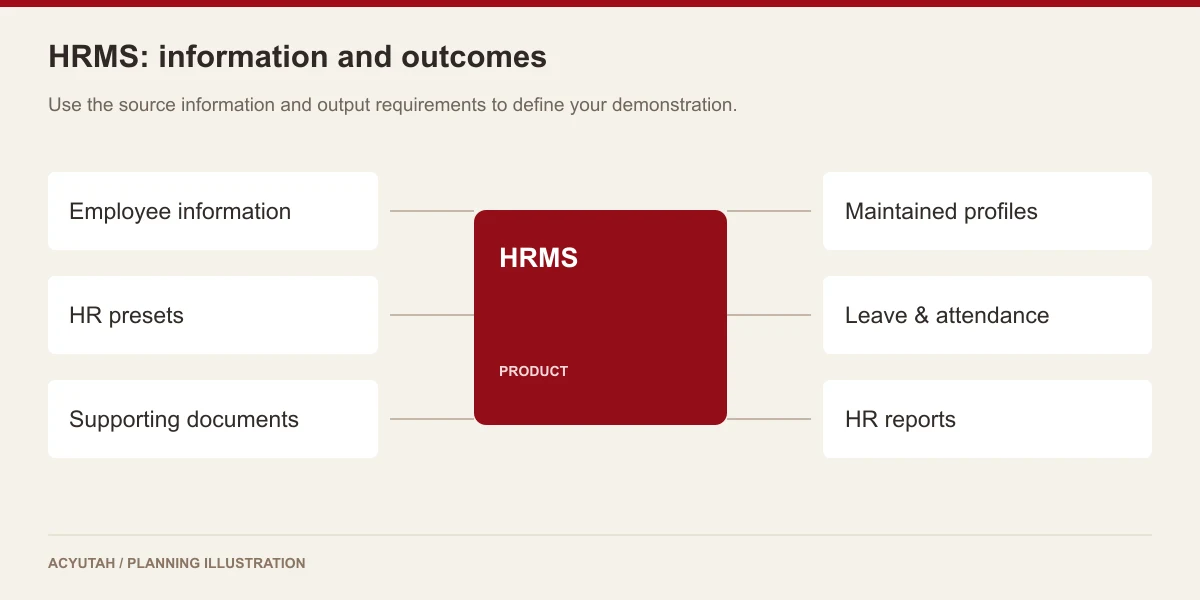
6 acceptance checks for HR management portal
1. Employee identity
Compare the sample employee’s personal and employment fields with the approved source information. Agree identifiers and matching conventions so a correction or department change does not create an ambiguous employee record.
2. Supporting information
Review qualifications, skills, certifications and associated documents required for the project. Confirm which details are maintained by HR and how missing or outdated information is followed up.
3. Leave configuration
Demonstrate relevant leave presets, balances, application and cancellation behavior. Check the result with the HR policy owner and record any configuration decisions needed for the proposed process.
4. Attendance reporting
Inspect an attendance-register report using a representative period and employee group. Agree the source and interpretation of its information before using it for operational decisions or introducing a device integration.
5. Role access
Repeat the relevant tasks with HR, department and other agreed roles. Confirm what each may view or maintain, and define who approves access changes when a person’s responsibility changes.
6. Training boundaries
Review any HR training-planning requirement alongside the separate LMS demonstration. Identify the information each product owns and explicitly scope any transfer, integration or reporting needed between them.

Prepare your HR management portal rollout
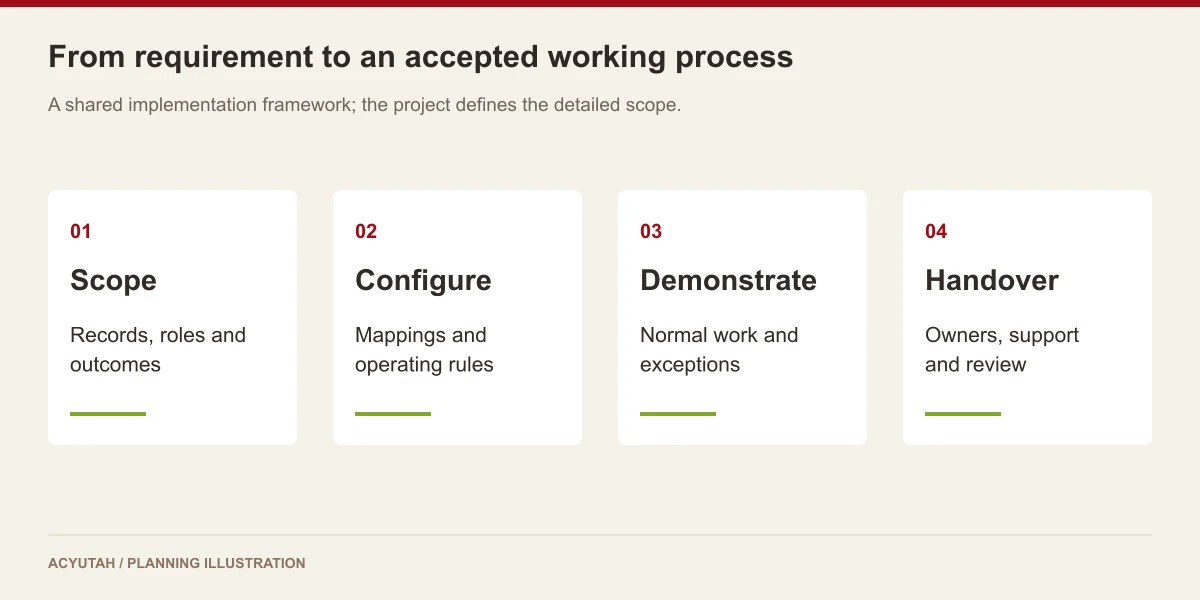
Start an HR management portal rollout with the employee fields and modules needed for a defined first phase. Clean up source identifiers, confirm access roles and agree how existing documents will be brought into the system. Training should use ordinary employee queries and record corrections. Give users a clear route for reporting an incorrect balance, missing document or access problem to the appropriate owner.
Maintain the HR management portal through an agreed routine for employee changes, module configuration and report review. Separate HR policy decisions from technical support: the application team can implement agreed rules, while HR remains responsible for approving them. Review additional payroll, attendance-device or learning-system requirements as distinct scope items, with representative acceptance cases and named support responsibilities.
HRMS: frequently asked questions
Is HRMS one of the five Acyutah products?
HRMS is a product delivered as a web portal. Acyutah’s five products are FineDocs, FineScan, LMS, FineFlow BPM and HRMS.
Does the portal handle leave and attendance?
The software includes leave presets, balances, applications, cancellation functions and attendance-register reporting. Configure the required behavior for your HR policies.
Is its training planner the same as LMS?
No. HRMS training planning and LMS document assignments, exams and certificates serve different parts of the learning process.
Does HRMS include payroll automatically?
Payroll requirements, supported calculations and integrations must be specified separately. This page does not promise a complete statutory payroll solution.
How should we scope an HR management portal project?
Start with employee records, supporting documents and the specific leave, attendance or planning functions needed by HR. Agree the source information, roles and reports for those functions. Then identify integrations separately so the first phase has a clear boundary and an acceptance example that HR can review.
Is the HR management portal part of the product portfolio?
Yes. HRMS is one of Acyutah’s five products, alongside FineDocs, FineScan, LMS and FineFlow BPM. It is delivered as a web portal for employee information and configured HR activities. The proposal identifies the enabled modules, implementation work and any additional integration requirements.
See how HRMS fits your work.
Share your process, document types and user needs with Acyutah.