
LMS: Learning management system
Turn assigned reading into measurable learning.
Acyutah’s learning management system gives administrators and learners a connected workflow for document-based training. Assign learning documents, track reading progress, deliver assessments and review the results from a web portal built around clear training records.

A document sent is not the same as training completed.
Training owners need to know what was assigned, whether the learner has started reading and how an assessment was completed. LMS brings those stages together. Learners see their assignments and examination results; administrators manage documents, question papers and reporting. This creates a practical foundation for SOP-related learning, internal procedures and other document-based employee training.
Learning management system: 6 practical benefits
Assign documents to learners
Upload and manage learning documents, then assign them to selected users. Set reading requirements and examination duration as part of the assignment configuration.
Track reading progress
Record reading time and completion status against assignments. Reports distinguish assigned, read, unread and unopened work, helping administrators follow up on outstanding learning.
Build structured assessments
Manage question papers with multiple-choice, true-or-false and theory questions. Configure passing marks and connect the relevant paper to the learning assignment.
Review results appropriately
Objective answers are scored by the examination logic, while theory responses have an administrator review workflow. Learners can view their results and examination papers.
Certificates and exports
Generate training certificates and export relevant document, question-paper, examination and user reports to PDF or Excel. A training certificate records the learning result; it is not an external accreditation.
Administration and visibility
Use separate administrator and learner workspaces, manage users, import users from DMS and configure email notifications. Dashboards and reports show reading progress, pending exams and examination attempts.
LMS in four steps
Assign
Select the document, learners and assessment.
Read
Track reading against the assignment.
Assess
Complete objective and theory questions.
Record
Review results, certificates and reports.
Example: training employees on a procedure
A training administrator publishes a procedure as a learning document, assigns the relevant employees and associates the appropriate assessment. Learners work through the assigned material and take the examination. The administrator reviews theory responses where required and follows up through unread-document, pending-exam and result reports. The record supports an informed training discussion instead of treating a distributed file as proof of understanding.
How LMS fits your Acyutah solution
LMS is one of Acyutah’s five products. FineDocs manages the document repository; LMS manages the learning assignment and assessment journey. Administrators can import users from DMS. Document transfer, revision handling and any requirement for automatic retraining should be agreed as part of the integration scope rather than assumed.
Evaluating learning management system with your team
Evaluate a learning management system using one real training assignment from start to finish. Select a procedure, two learners and a question paper containing objective and theory questions. Follow the reading record, submit the assessment and review how the trainer evaluates a written answer. Check the pending-work report alongside completed results and certificate output. This shows the difference between assignment, participation and assessment. A learning management system demonstration should make each stage clear to the people who will administer training and the employees who will complete it.
For preparing readable source documents with appropriate structure, see Microsoft guidance on accessible Word documents.
Plan your implementation
Bring example training documents, learner groups, question types, passing criteria and reporting requirements. Agree the role of reading time, the process for reviewing theory answers and the handling of repeat attempts. For regulated use, assess the required controls and validation evidence against your own procedures and applicable obligations.
Discuss the release, enabled modules and support responsibilities with our implementation team. The product demonstration should reflect the records, users and exceptions that matter to your organization.
Who uses learning management system?
Training administrators
A learning management system helps training administrators organize document assignments and follow their progress. They identify the learners, select the material and configure the associated examination requirements. Before rollout, agree who owns the document and who decides that its assessment is suitable. An assigned procedure needs a clear purpose, an appropriate learner population and an understandable completion process.
Learners and their managers
Employees use the learning management system to access assigned documents, work through the material and complete the relevant examination. Managers need a clear interpretation of the resulting records: an unopened assignment, reading activity and a completed assessment describe different stages. Establish how employees ask for help with the material and how managers follow up on pending work without treating every status as the same kind of delay.
Assessors and reporting owners
Assessors use the learning management system to review answers that need human evaluation, including theory responses. Reporting owners decide which assignment, examination and result views support the training process. They should agree how passing criteria, repeat attempts and certificates will be interpreted. A certificate records the result of the configured training activity; its meaning must be understood by the organization using it.
Learning management system in a working scenario
Imagine a department introducing an operating procedure to a defined employee group. The training owner prepares the document and a question paper covering the decisions employees need to understand. The learning management system assignment connects the material, selected learners, reading requirement and examination duration. Use several representative learners during the demonstration so the administrator can compare a new assignment, work in progress and a completed assessment rather than seeing only one successful path.
Follow the learner’s journey next. Open the assigned document, review reading progress and complete an examination containing multiple-choice, true-or-false and theory questions as required. The learning management system applies objective scoring and provides an administrator review workflow for written answers. Demonstrate how the assessor records a theory evaluation and how the learner sees the result. This helps the training team agree the relationship between participation, knowledge assessment and the completion record.
Review the administrative outcome using unread-document, pending-exam, attempt and result reports. Check the relevant export and certificate output against the original assignment. A learning management system should give the training owner a reliable basis for follow-up: which employees have not started, which assessments remain pending and which results need attention. Where a revised procedure should lead to retraining, agree the document-transfer and reassignment process as an explicit integration requirement.
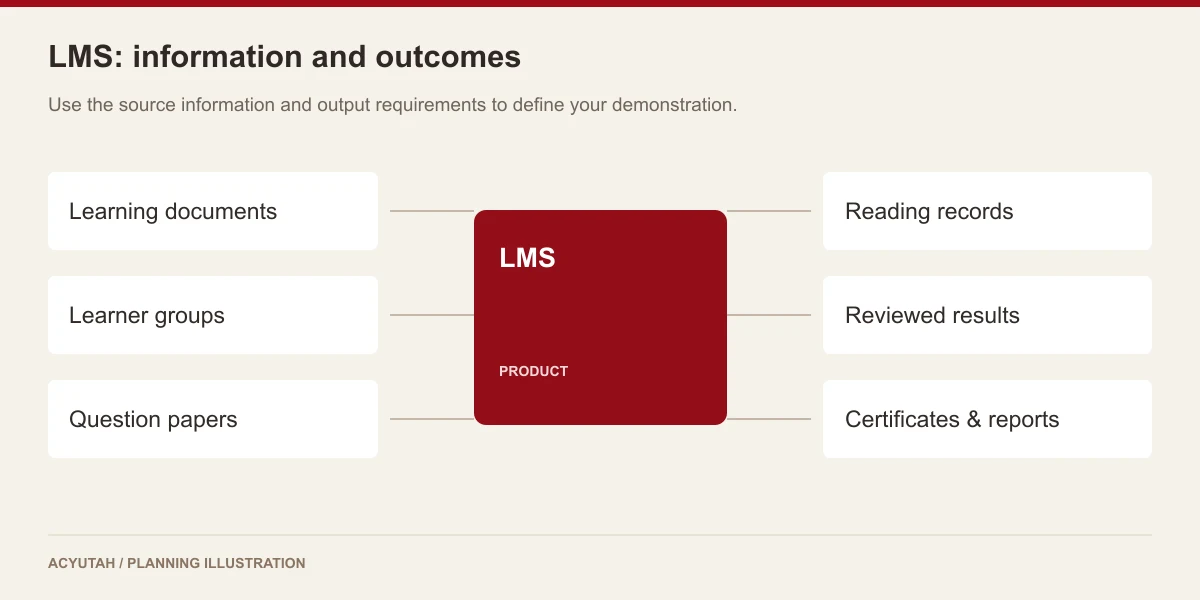
6 acceptance checks for learning management system
1. Assignment scope
Compare the selected document and learner group with the intended training population. Confirm the configured reading requirement and examination duration, including who is allowed to change the assignment setup.
2. Reading visibility
Demonstrate unopened, partially read and completed reading states. Review how the available reports distinguish these conditions and agree how administrators use them when following up with employees.
3. Question-paper quality
Include the question types the training owner needs and check their association with the assignment. Review the passing criteria and ensure the questions assess the material employees were actually given.
4. Assessment review
Compare objective-answer scoring with the theory-answer review process. Confirm the assessor’s responsibility, result visibility and the handling of any examination attempts included in the agreed workflow.
5. Reports and certificates
Check exported assignment and examination information against the sample users and results. Review the certificate fields with the training owner so the output has a clear, agreed business meaning.
6. User administration
Test learner setup and the required DMS-user import process. Confirm which roles can assign material, view results and evaluate answers before the portal is opened to the wider training population.
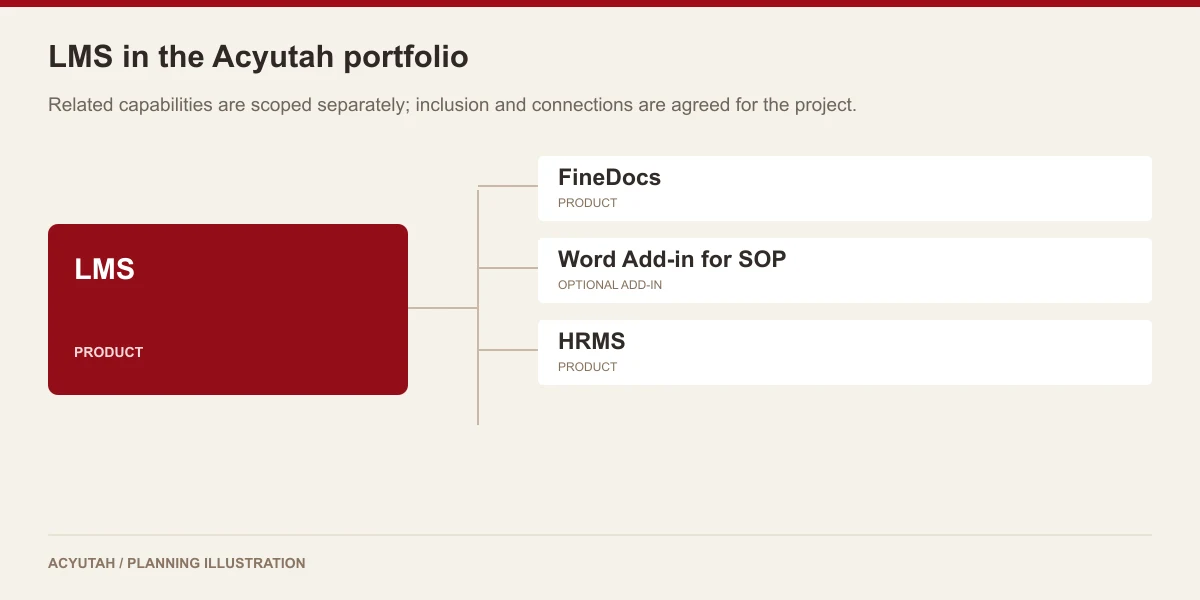
Prepare your learning management system rollout
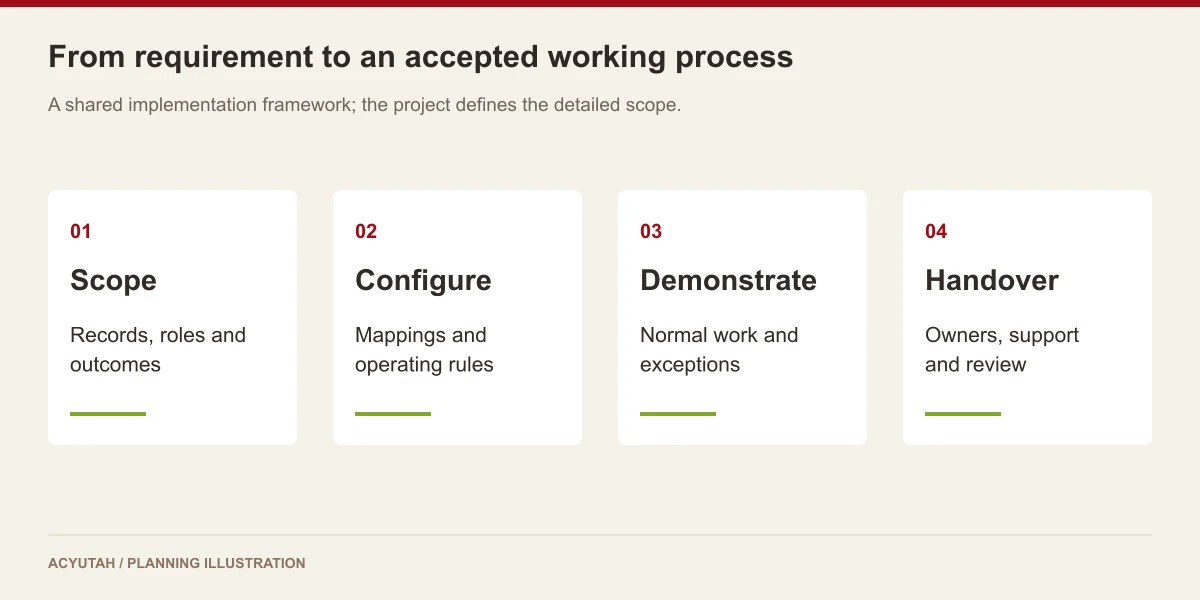
Introduce a learning management system with a small set of well-prepared documents and assessments. Train administrators on assignment creation, reporting and theory evaluation, and show learners the complete reading-to-result journey. Agree who handles a question about the training material and who handles a portal-access issue. These responsibilities help the training team support employees without confusing content questions with application support.
After rollout, review pending assignments and assessments using an agreed follow-up routine. A learning management system needs owners for document changes, learner populations, examination content and reporting conventions. Decide how completed training evidence is retained and how new training requirements are introduced. Any automatic retraining, additional course format or integration requirement should be assessed for the proposed release and included in the project scope when needed.
LMS: frequently asked questions
What kind of training does this learning management system support?
LMS supports document-based learning with assignments, reading progress and examinations. Demonstrate your intended learning materials and assessment approach during scoping.
Which question types are supported?
The examination logic handles multiple-choice, true-or-false and theory questions. Theory answers can be evaluated through the administrator review workflow.
Can administrators identify pending training?
Yes. The reporting areas include unread or unopened assignments, reading progress, pending examinations, attempts and examination results.
How does LMS connect with FineDocs users?
LMS includes user import from DMS. Agree the learner population and responsibilities during setup, then define any document-transfer or retraining requirements as part of the integration scope.
How should we evaluate a learning management system for SOP training?
Bring an actual procedure and an assessment covering its key decisions. Demonstrate assignment, reading progress, objective scoring, theory review, results and reporting. Include pending work as well as successful completion, and agree how procedure revisions will be transferred into the training process.
What makes a learning management system report useful to managers?
A useful report distinguishes the stage requiring attention. Unopened material, incomplete reading, pending examinations and reviewed results should be interpreted in their assignment context. Agree the users, dates and fields needed for follow-up, then reconcile an exported report against representative learner records before relying on it operationally.
See how LMS fits your work.
Share your process, document types and user needs with Acyutah.